An IT budget sets out what a company will spend on technology over the year: software subscriptions, cloud services, devices, support, security tools, projects and the people who run them. For a growing company, the most reliable way to plan it is to start from what you already spend, separate the cost of running today's systems from the cost of changing them, then add the specific projects, renewals and growth the business expects.
Budgets built this way avoid the usual surprises: subscriptions nobody remembers buying, per-user costs that rise with every hire, and hardware or software that suddenly reaches the end of its support life. This guide sets out a practical process for planning a 2027 IT budget.
Gartner's October 21, 2026 forecast projects worldwide IT spending of $7.35 trillion in 2027, up 15% from 2026. This is a dated global forecast, not an observed result or a recommended growth rate for a smaller company's IT budget. Use it as market context; your own usage, contracts and business plans determine the budget.
There are also support deadlines to plan around. Microsoft's Windows Server 2016 lifecycle lists extended support ending in January 2027. Any business still running it needs a costed plan. Our guide to IT asset lifecycle management covers end-of-support planning.
Step 1: Build an inventory of current spend
Before planning next year, list what you spend today. Pull twelve months of invoices, card statements and contracts, and group them:
| Category | Examples |
|---|
| Software and SaaS | Productivity suites, CRM, accounting, design, collaboration, industry software |
| Cloud and hosting | Infrastructure, databases, storage, backups held with providers |
| Devices | Laptops, desktops, phones, monitors, peripherals |
| Support and services | Managed IT, helpdesk, consultants, software support contracts |
| Network and connectivity | Internet, phone systems, office equipment |
| Projects | Migrations, implementations, integrations, upgrades |
| People | Internal IT staff, contractors |
For each item, note the owner, the renewal date, the number of users or units and whether it is still needed. Many companies find duplicate tools, unused licenses and subscriptions bought on individual cards.
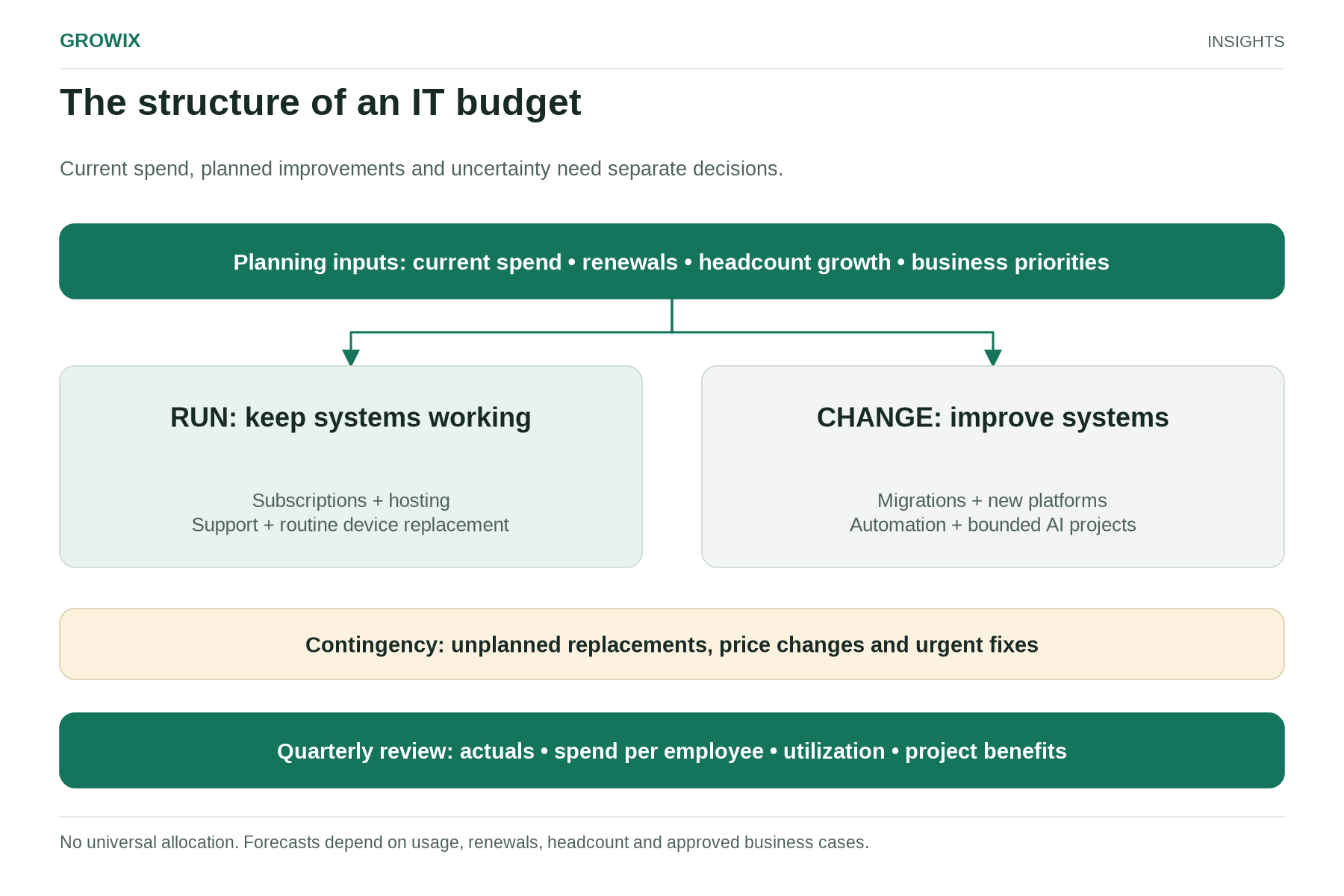
Step 2: Separate run costs from change costs
Split the budget into two parts:
- Run costs: what it takes to keep current systems working: subscriptions, hosting, support, device replacement on a normal cycle.
- Change costs: projects that improve or replace systems: migrations, new platforms, automation, AI initiatives.
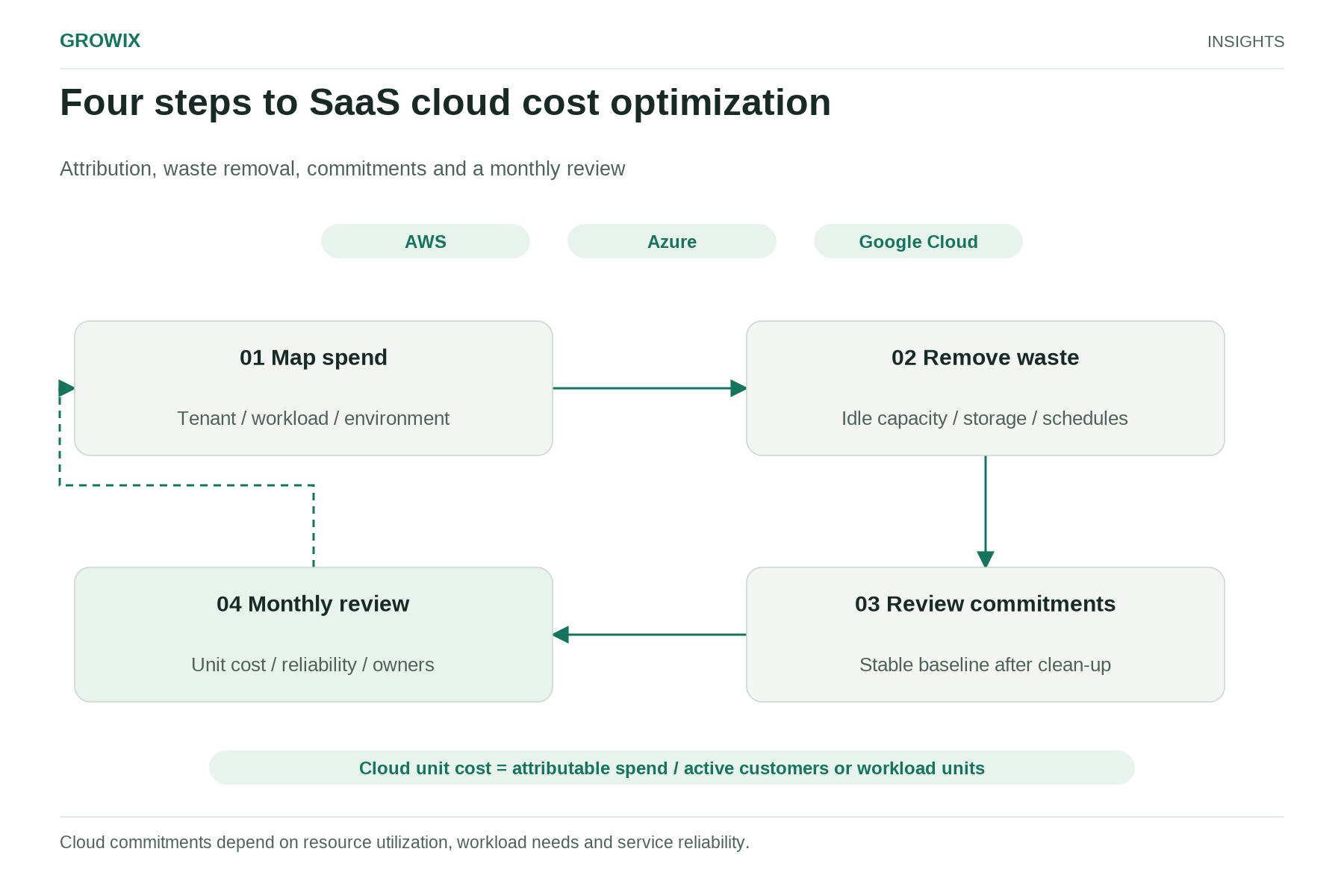
This split makes trade-offs visible. If run costs consume almost everything, there is little room to improve, and reducing waste in the run budget becomes the first project. Our guide to cloud cost optimization explains how to find savings in hosting.
Step 3: Plan renewals and growth
Build a renewal calendar for the year: every contract, its renewal date, notice period and expected price change. Ask vendors early about 2027 pricing, and decide whether to renew, renegotiate, consolidate or cancel at least 60 to 90 days before each date.
Then model growth. Most technology costs scale with headcount: devices, licenses, support. Work with HR and finance on the 2027 hiring plan and calculate:
- Device cost per new hire.
- Annual software cost per user across all tools a typical role needs.
- Support cost per user if your support is priced that way.
Step 4: Add projects with business cases
List the projects the business wants, each with a short case: the problem, the expected benefit, the cost, the owner and the risk of not doing it. Rank them with leadership. Typical categories for 2027:
- Mandatory: end-of-support replacements, contract exits, compliance requirements.
- Efficiency: automation, system consolidation, cost optimization.
- Growth: systems needed for new products, markets or headcount.
- AI initiatives: pilots with defined tasks and success measures.
Be specific with AI. Budget for defined pilots, the usage costs they will create and the time needed to evaluate them, rather than a large unallocated "AI" line. Our guide to what AI applications cost to run shows the components to include.
A hypothetical 2027 budget
The following scenario is invented for illustration. All figures are assumptions, not market prices or Growix pricing.
A 120-person company spends $600,000 a year on technology: SaaS $180,000, cloud $120,000, devices $60,000, support $150,000 and projects $90,000. That is $5,000 per employee ($600,000 ÷ 120).
For 2027 it plans to hire 20 people and makes these changes:
| Change | Amount |
|---|
| Devices for 20 new hires at $1,500 each | +$30,000 |
| Software for 20 new users at $1,500 a year each | +$30,000 |
| Two AI pilots, including usage costs | +$24,000 |
| Replace servers running Windows Server 2016 | +$40,000 |
| Cloud savings from removing idle resources (15% of $120,000) | −$18,000 |
The 2027 budget becomes $706,000 ($600,000 + $30,000 + $30,000 + $24,000 + $40,000 − $18,000), or about $5,043 per employee across 140 people. The total rises, but cost per employee stays almost flat, which is a useful way to explain the budget to leadership.
Step 5: Hold a contingency and review quarterly
Keep a contingency, often a small percentage of the total, for unplanned replacements, price increases and urgent fixes. Review actual spend against the budget quarterly, and track:
- IT spend per employee, a simple measure of efficiency over time.
- Run versus change split, to see whether you are investing or only maintaining.
- License utilization, to catch unused seats before renewal.
- Project delivery against budget and expected benefit.
Questions to ask before each renewal
- How many licenses are active, and how many people actually used the tool in the last 90 days?
- Does another tool we already pay for cover the same need?
- What will the price be in 2027, and what changed in the plan or packaging?
- Are new AI features included, optional or forced into a higher tier?
- What is the notice period, and is there a better rate for a longer commitment we are confident about?
- Who owns the tool, and do they still need it?
Who should own the IT budget
In a growing company, IT spending is often scattered across departments, each buying its own tools. That makes waste hard to see and security harder to manage. A practical model:
- One accountable owner, such as an IT lead, operations leader or finance lead, maintains the inventory, renewal calendar and budget.
- Department heads request tools and justify them against business needs.
- Finance approves the budget and tracks actuals monthly.
- A simple purchasing rule says new software must be registered with the owner before purchase, even on a card.
A simple IT budget template
| Column | What to record |
|---|
| Item | Tool, service, device type or project |
| Category | Software, cloud, devices, support, connectivity, projects, people |
| Run or change | Keeps current systems running, or improves them |
| Owner | The person accountable for the item |
| Users or units | Licenses, devices or usage driver |
| 2026 cost | Actual annual cost |
| 2027 forecast | Expected cost, including growth and price changes |
| Renewal date and notice | When the contract renews and how much notice is needed |
| Decision | Keep, renegotiate, consolidate or cancel |
Common mistakes
- Rolling last year's budget forward without checking what is still used.
- Forgetting renewal notice periods, which lock in another year at a higher price.
- Treating AI as a single large line with no defined tasks or measures.
- Ignoring headcount growth, which drives most per-user costs.
- No owner for each tool, so nobody notices waste.
Frequently asked questions
How much should a company spend on IT?
It varies widely by industry, size and how technology-dependent the business is. Rather than copying a percentage, build the budget from current spend, renewals, headcount growth and prioritized projects, then track IT spend per employee over time.
What should be included in an IT budget?
Software and subscriptions, cloud and hosting, devices, support and services, connectivity, projects and IT staff, split between the cost of running current systems and the cost of changing them, plus a contingency.
When should we start planning the 2027 IT budget?
Ideally in the third or fourth quarter of 2026, early enough to review renewals with notice periods and to agree projects with leadership before the year starts.
Next steps
Export twelve months of technology spend, group it into the categories above and mark every renewal date for 2027. That single list usually reveals savings and risks before any new spending is discussed.
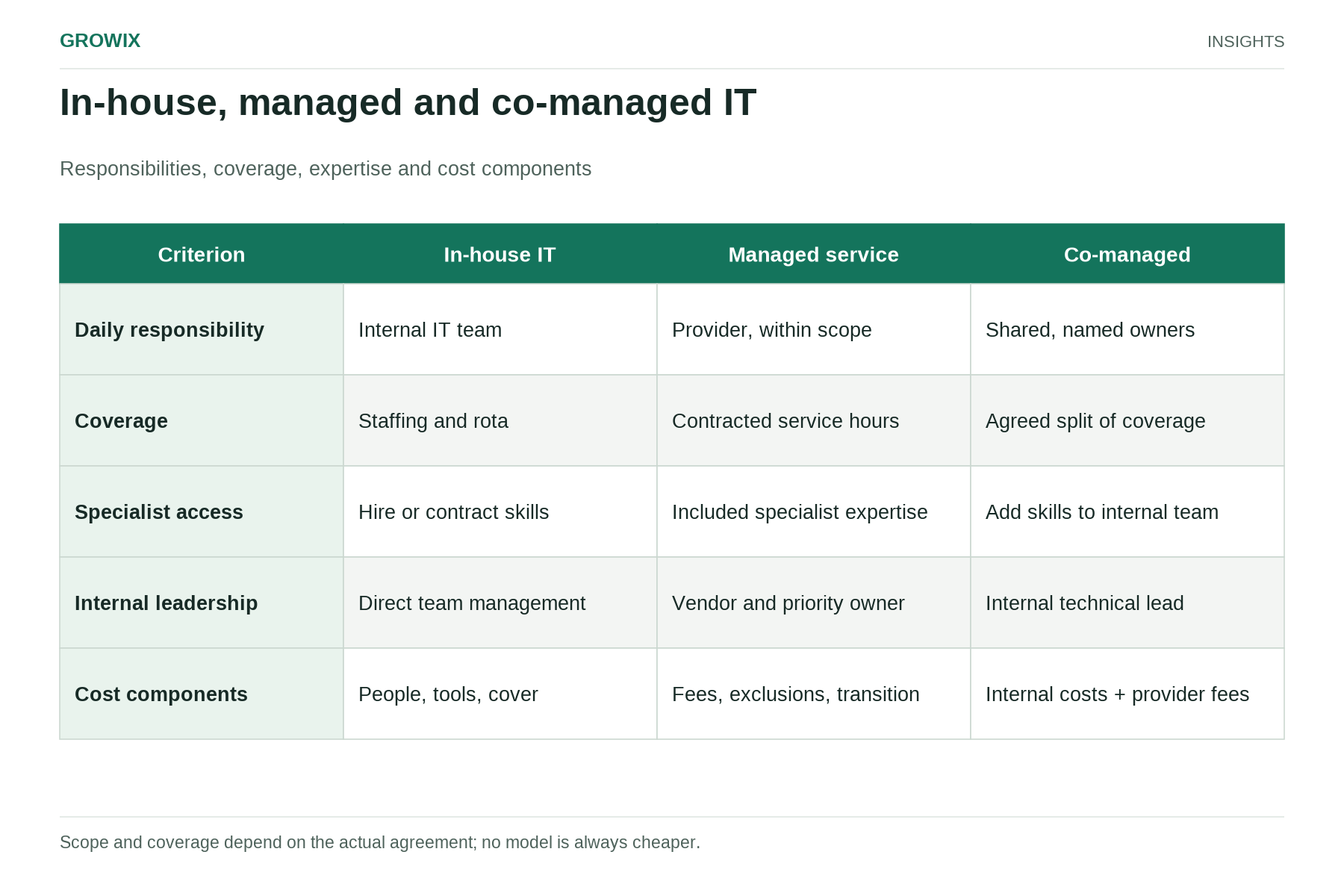
Growix's IT Consulting & Audits team reviews your environment and produces a prioritized plan with cost optimization opportunities, and our Managed IT Services team runs IT operations under a clearly scoped agreement for predictable costs. If you are weighing support models, see managed IT services vs in-house IT.
Discuss your IT and infrastructure needs