Many manufacturers run on a patchwork that grew over decades: an ERP system installed long ago and heavily customized, a separate inventory or warehouse application, production data held in a manufacturing execution system (MES), machine historians or spreadsheets, and a collection of nightly file exports and manual re-keying holding it all together. Each piece may still work. The trouble is the gaps between them.
Those gaps show up as inventory figures nobody trusts, schedules built on yesterday's production counts, month-end reconciliation that takes days, and a dependency on the one person who understands how the export scripts work. Replacing everything at once is expensive and risky for a business that cannot stop production. Legacy modernization in manufacturing works better as a sequence of controlled steps, each one improving how data moves between business and production systems.
This guide covers how to audit the current interfaces, choose where to modernize first, migrate and validate data, and release changes without disrupting the plant.
Where the business problem sits
The ISA-95 standard, published by the International Society of Automation and also known as IEC 62264, provides a widely used model for this mix of systems. ISA's overview of ISA-95 describes levels running from physical processes (Level 0) through sensors, controllers and control systems (Levels 1 and 2), to manufacturing operations systems such as MES and SCADA (Level 3) and business planning and logistics, including ERP (Level 4). The standard focuses on the exchange of information between Level 3 and Level 4.
That boundary is where most legacy pain appears:
- Orders and schedules flow down from ERP to production, often by printed work orders or file exports.
- Actual production flows up: quantities produced, scrap, material consumed, labor and machine time.
- Inventory sits in between, updated by both sides, frequently out of sync.
When this exchange is slow or manual, the consequences are commercial: promised ship dates that production cannot meet, safety stock held to compensate for inaccurate counts, and cost reports that lag reality by weeks.
Step 1: Audit ERP and production interfaces
Before deciding what to modernize, document every point where data moves between systems. An interface inventory is the most useful single artifact in the project.
| Field | What to record |
|---|
| Source and target | For example, MES to ERP, or ERP to warehouse system |
| Data | Work orders, production confirmations, material issues, inventory adjustments, quality results |
| Method | API, database link, file drop, message queue, spreadsheet, manual entry |
| Frequency | Real time, hourly, nightly, weekly |
| Owner | The person who fixes it when it breaks |
| Failure impact | What happens to production, shipping or finance if it stops for a day |
| Known issues | Duplicates, timing gaps, unit-of-measure conversions, custom code |
Interview the people who live with the interfaces: production planners, warehouse leads, cost accountants and the IT staff who run the jobs. You will usually find undocumented spreadsheets and workarounds that are as important as any official integration.
At the same time, assess the legacy applications themselves. Note the platform and language, vendor support status, the extent of customization, available documentation, and whether the system has any usable API or only database access.
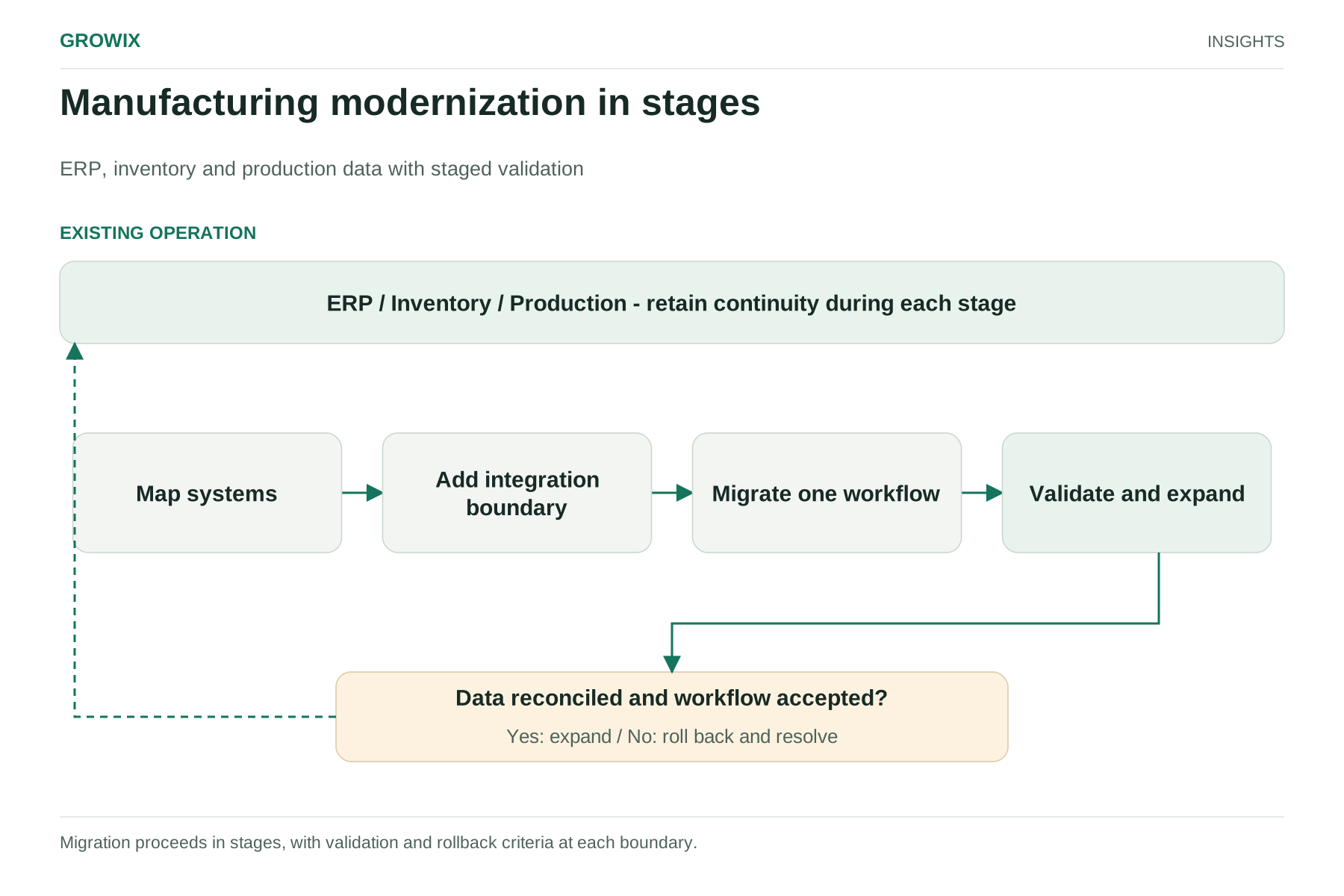
Step 2: Choose incremental modernization boundaries
With the inventory in hand, choose where to start. Rank each interface by business pain, failure impact and technical feasibility. The best first candidate usually has high pain, moderate risk and clear data ownership.
The strangler fig pattern is a well-established way to do this. Martin Fowler describes it as a gradual approach to legacy modernization: new capabilities are built alongside the existing system, behavior moves across piece by piece, and transitional code that lets old and new coexist is accepted as a worthwhile cost in exchange for reduced risk and earlier value.
In a manufacturing context, common first boundaries are:
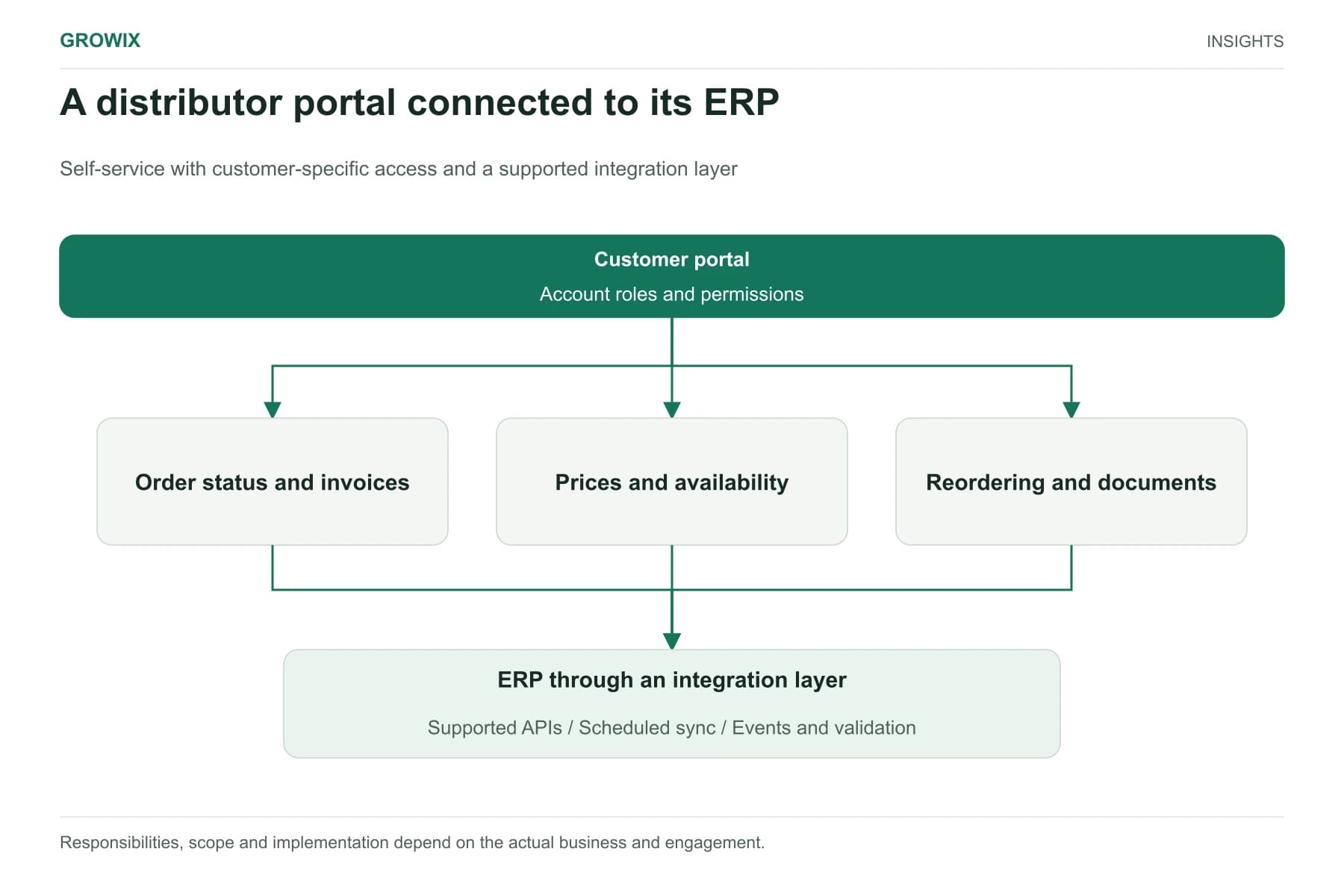
- An integration layer in front of the ERP. Wrap the legacy ERP with documented APIs or a message-based integration, so other systems stop reading its database directly or relying on file drops. Later, you can change what sits behind the APIs without breaking everything that depends on them.
- Production confirmations from MES to ERP. Replace nightly batch uploads with near-real-time messages, so inventory and costing reflect what actually happened on the line.
- A read-only operational data store. Copy ERP, inventory and production data into a modern data platform for reporting and planning, without changing the source systems. This often delivers visible value quickly and builds understanding of the data before any migration.
- Replacing a single satellite application, such as a homegrown quality or shipping tool, with a modern application that integrates through the new layer.
Leave the control layer alone unless there is a specific reason to change it. Changes near Levels 0 to 2 can affect safety and equipment, and require engineering and operational technology expertise. NIST's Guide to Operational Technology Security (SP 800-82 Rev. 3) is a useful reference for the security considerations when business networks connect to production systems.
Hypothetical example: a mid-sized components manufacturer
This example is invented for illustration.
A manufacturer of machined components runs a heavily customized ERP from the early 2000s. Production supervisors record completed quantities on paper, and a clerk enters them into the ERP the next morning. Inventory accuracy is poor, so planners keep extra stock and expedite frequently.
The interface audit ranks "production confirmation to ERP" highest: daily volume, direct impact on inventory and costing, and a clear owner. The team:
- Builds a small tablet application at each work center for recording completions and scrap against work orders.
- Sends each confirmation through a new integration service that validates the work order, operation and quantity, then posts it to the ERP through its supported import interface.
- Keeps the paper process running in parallel for two weeks, reconciling both daily.
- Adds a dashboard showing confirmations received, posting failures and time from completion to ERP update.
The ERP itself is untouched. Once confirmations are reliable, the integration layer becomes the foundation for the next step: replacing the legacy inventory module.
Step 3: Plan data migration and validation
Whenever a step moves data into a new system, or changes which system is the source of truth, data quality decides whether it succeeds.
Clean master data first. Item masters, bills of materials, routings, work centers, units of measure and supplier records accumulate duplicates and inconsistencies. Agree data owners and fix the records you will migrate before you migrate them.
Define the source of truth for each data element. For example, the ERP owns item master and standard cost, the MES owns actual production quantities, and the warehouse system owns bin-level inventory. Write it down and design integrations to match.
Reconcile, do not assume. Build automated reconciliation that compares record counts, quantities and values between old and new systems, by item and location. Investigate every difference above an agreed tolerance.
Run in parallel where risk is high. For inventory and costing, a period of parallel running with daily reconciliation catches problems before they reach financial statements.
Plan cutover around the business calendar. Avoid month-end and year-end close, peak order periods and planned maintenance shutdowns, unless a shutdown is the cutover window.
Growix's Data Engineering & Analytics team builds the pipelines, data stores and reconciliation reporting that support this stage.
Step 4: Release with rollback and monitoring
Each release should be reversible and visible.
- Feature toggles and routing: switch work centers, plants or product lines to the new path one at a time.
- Rollback plan: keep the old interface available until the new one has run cleanly for an agreed period, and document how to switch back.
- Interface monitoring: alert on failed messages, growing queues and delays between production events and ERP updates, not just on server health.
- Exception handling: route rejected transactions, such as a confirmation against a closed work order, to a queue with an owner rather than dropping them.
- Training and support: brief supervisors and planners on what changes for them, and provide a named contact during the first weeks.
Modernize around the ERP, or replace it?
The interface audit often raises a bigger question: should the ERP itself be replaced? Incremental modernization does not rule that out; it often makes a later replacement easier, because the integration layer and clean master data are reusable. Use these signals to judge:
| Signal | Points toward incremental modernization | Points toward ERP replacement |
|---|
| Vendor support | Supported, with a viable upgrade path | Out of support, or security patches no longer available |
| Fit to processes | Core planning and costing still fit | Major processes run outside the ERP in spreadsheets |
| Customization | Moderate and documented | Extensive, undocumented and blocking upgrades |
| Skills | People available to maintain it | Knowledge held by one person or a retired contractor |
| Business change | Stable product lines and plants | New plants, acquisitions or business models the system cannot represent |
If several signals point to replacement, the modernization steps in this guide still apply: build the integration layer, clean master data and reconcile data flows first. They reduce the risk of the replacement project and keep the plant running while it happens.
Pitfalls specific to manufacturing
- Ignoring units of measure and conversions, such as material bought by weight and consumed by length, which cause silent inventory errors.
- Underestimating shift patterns. Interfaces that run "overnight" may run during a production shift at another plant.
- Testing only with clean data. Real confirmations include partial quantities, rework and reversed transactions.
- Overlooking quality and traceability records, which may carry customer or regulatory retention requirements.
- Changing too many plants at once. Pilot on one line or site, then roll out.
Responsibilities and dependencies
| Role | Responsibility |
|---|
| Operations or plant manager | Business priorities, cutover windows, acceptance |
| Production planning | Requirements for schedules, confirmations and inventory |
| Finance and cost accounting | Costing rules, reconciliation sign-off, period-close timing |
| IT and integration team | Interfaces, security, monitoring and support |
| Controls or OT engineering | Any change touching equipment, control networks or plant-floor devices |
| ERP vendor or partner | Supported interfaces, upgrade constraints, licensing |
Check vendor dependencies early. Some ERP licenses restrict integration methods, charge for API access or limit database use, and those constraints affect design.
Measuring success
Choose measures that matter to operations and finance, and baseline them before the first release:
- Inventory record accuracy from cycle counts, by location.
- Data latency: time from a production event to its appearance in ERP.
- Manual touches: re-keyed transactions and spreadsheets eliminated.
- Interface failures per week and time to resolve.
- Planning outcomes: schedule adherence, expedite frequency and on-time delivery.
- Close effort: days or hours spent reconciling inventory and production at month end.
Frequently asked questions
What is legacy modernization?
Legacy modernization is updating aging software and the way it connects to other systems so the business can change, integrate and stay supported, without the risk of a sudden failure. It ranges from wrapping an old system with documented APIs to replatforming, refactoring or replacing it.
What are the main legacy modernization strategies?
Common strategies are encapsulating the system behind APIs, rehosting, replatforming, refactoring, rebuilding and replacing. For manufacturers, an incremental approach such as the strangler fig pattern, which replaces one boundary at a time, usually carries less risk than a single big-bang cutover.
Should a manufacturer replace its ERP or modernize around it?
Start by modernizing the interfaces around the ERP: build an integration layer, clean master data and reconcile data flows. That work is needed either way, delivers value sooner and makes a later ERP replacement easier if vendor support, licensing or fit eventually force one.
Next step
Start with the interface inventory. Two or three weeks of structured interviews and system review usually reveal which boundary to modernize first, and whether a broader ERP replacement is genuinely necessary or can wait.
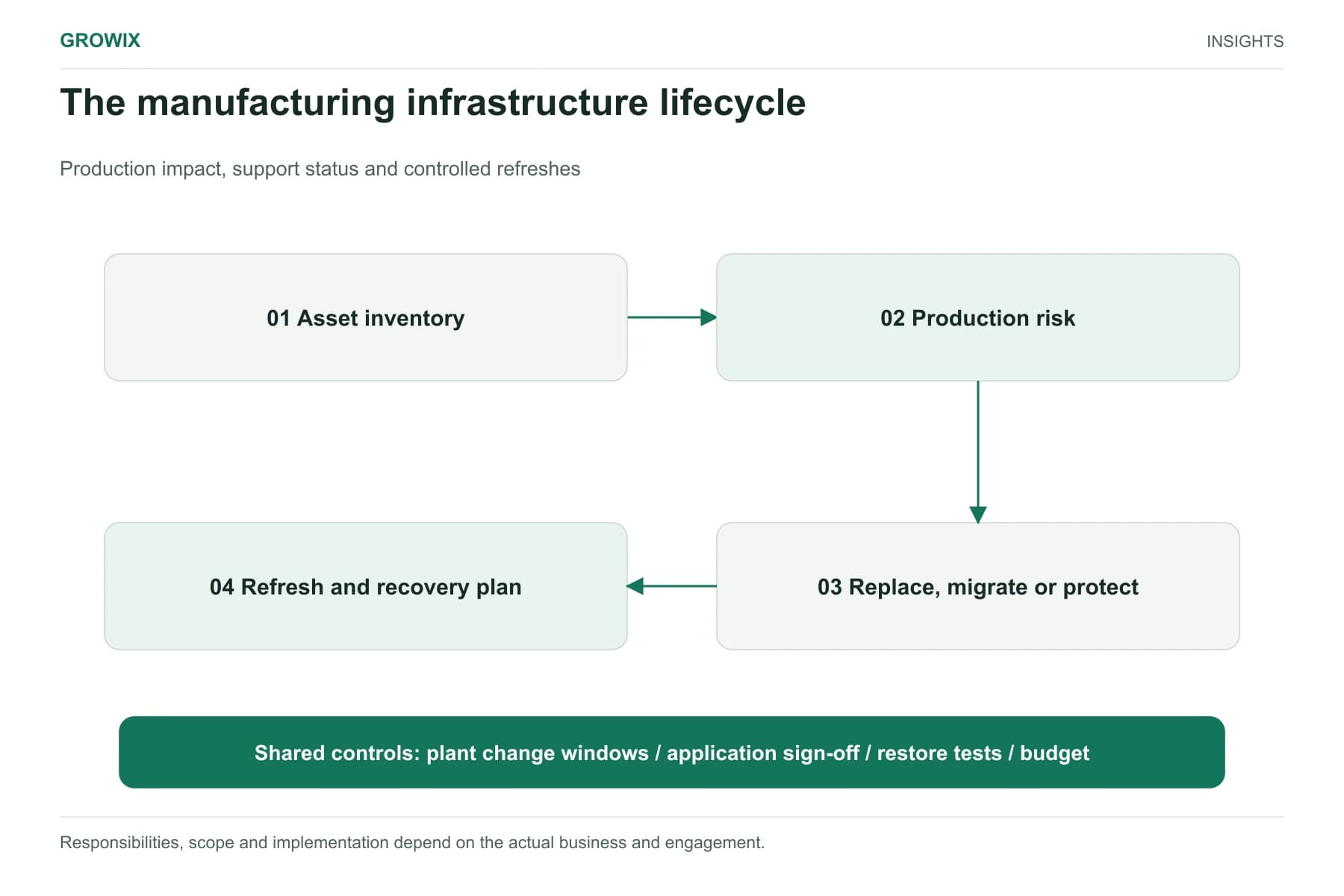
Growix's Legacy Software Modernisation service upgrades and migrates aging applications in stages, without stopping the business that depends on them. Our API Development & Integrations team builds the integration layer between ERP, inventory and production systems. If you are also weighing whether to replace a system with packaged software, read custom software vs off-the-shelf software. For the infrastructure side of plant IT, including Windows Server 2016 end of support, see IT infrastructure lifecycle planning for manufacturers.
Discuss your software or AI project