B2B Customer Portals for Distributors: Self-service Ordering, Invoices and Order Status Without Replacing Your ERP
Distributors lose hours to order-status calls, invoice copies and emailed orders. A portal fixes that only if it reflects your ERP's pricing and data. A phased plan that leaves the ERP in place.
In many wholesale and distribution businesses, customer service still runs on phone calls and email. Customers email purchase orders that someone retypes into the ERP. They call to ask whether an order has shipped, request copies of invoices, check stock before a job, or ask for the latest price list. Each request is small. Together they take a large share of the inside sales and customer service team's day, and every retyped order is a chance for a mistake.
A B2B customer portal gives business customers a secure place to answer those questions and place orders themselves. Buyers increasingly expect it: a Gartner survey summarized in a May 2026 press release reported that 67% of B2B buyers prefer a buying experience without a sales rep and 70% prefer a completely digital, self-service experience. The same research also found buyers still turn to sales reps to validate information, which is a useful reminder that a portal should support your sales relationships rather than replace them.
The good news for distributors is that a portal does not require replacing the ERP. This guide covers which features to build first, how to connect the portal to the ERP safely, how to handle accounts and permissions, and how to drive adoption.
Why distribution portals are harder than retail web stores
A consumer web store sells the same products at the same prices to everyone. A distributor's customers do not work that way:
Customer-specific pricing: contract prices, volume breaks, rebates and special agreements, usually calculated in the ERP.
Multiple ship-to locations and job sites per customer account.
Several buyers per account, with different permissions and spending limits.
Credit terms rather than card payment, with credit limits and holds.
Large catalogs with technical attributes, substitutes and units of measure that vary by customer.
Back orders, partial shipments and drop shipments.
A portal that ignores these realities shows wrong prices or confusing order status, and customers quickly go back to phoning.
Step 1: Choose the first self-service features
Start with the requests that consume the most staff time today. Pull a month of customer service emails and call logs and categorize them. Typical results for a distributor look something like this:
Request type
Portal feature
Typical complexity
"Has my order shipped?"
Order history and status with tracking links
Low to moderate
"Can you send a copy of that invoice?"
Invoice and statement download
Low
"What's my price for this?"
Customer-specific price lookup
Moderate to high
"Is it in stock?"
Availability by branch or warehouse
Moderate
"I'd like to reorder what I bought last month"
Reorder from history, saved lists
Moderate
Emailed purchase orders
Online ordering with approval rules
High
"I need the spec sheet or safety data sheet"
Product documents
Low
Returns and credits
Return request with reason codes
Moderate
A sensible first release often covers order status, invoices and statements, and product documents. These features deliver visible value quickly, carry little risk, and teach you how customers use the portal before you take on ordering and pricing.
Step 2: Connect to the ERP without replacing it
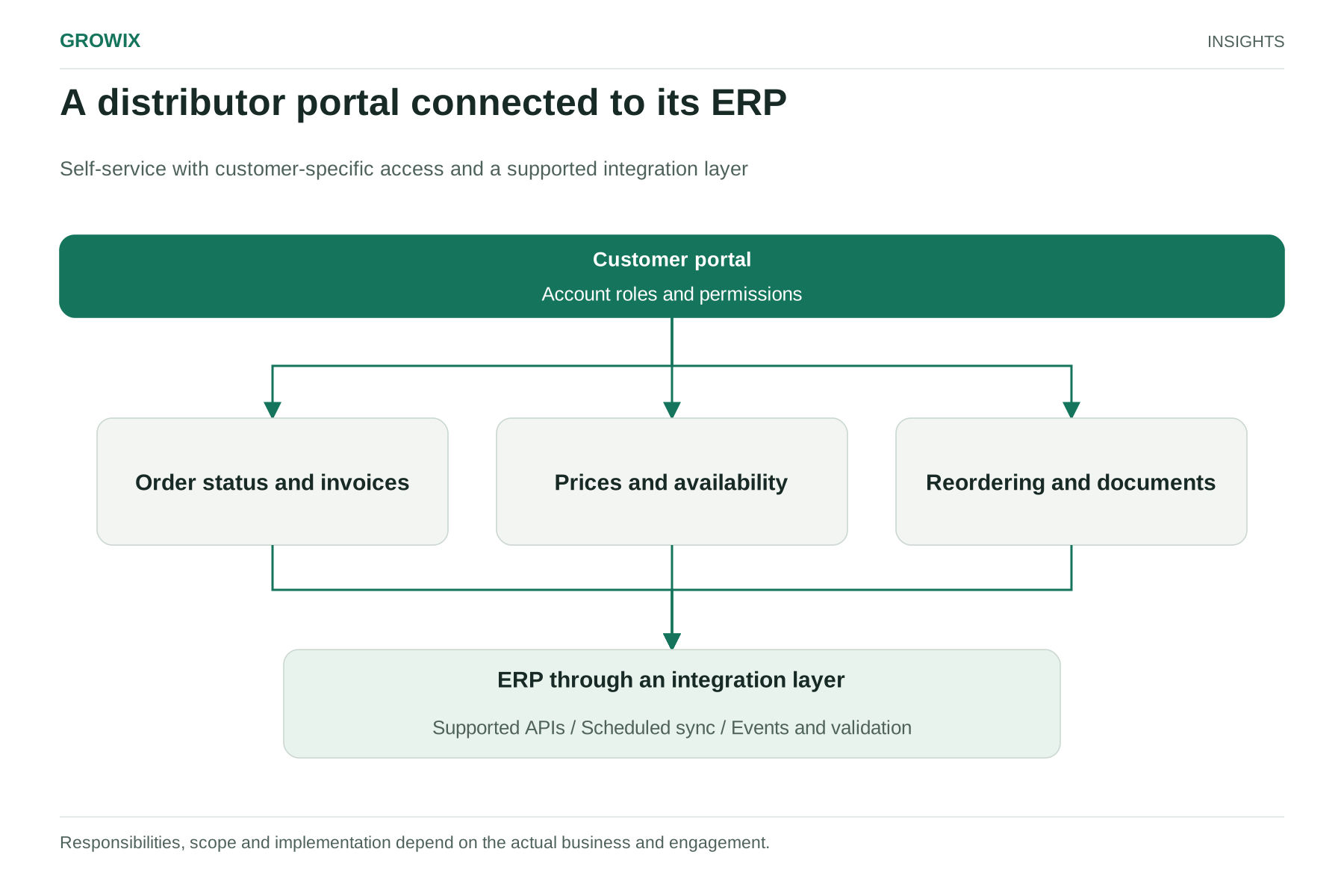
The ERP remains the source of truth for customers, products, prices, inventory, orders and invoices. The portal presents that data and sends orders back.
Build an integration layer. Rather than letting the portal query the ERP database directly, place a set of documented APIs or an integration service between them. That layer handles authentication, translates data formats, applies business rules and protects the ERP from heavy portal traffic. It also means you can change or upgrade the ERP later without rebuilding the portal.
Decide what is real time and what is synchronized. Not everything needs a live ERP call:
Data
Typical approach
Product catalog and documents
Synchronized on a schedule, for example nightly
Customer-specific prices
Calculated by the ERP on request, or synchronized price lists with frequent refresh
Inventory availability
Frequent synchronization or real-time lookup, depending on how fast stock moves
Order status and shipments
Near real time, triggered by ERP events where possible
Invoices and statements
Synchronized after posting
New orders
Sent to the ERP immediately, with confirmation back to the customer
Keep pricing logic in one place. Recreating complex pricing rules in the portal is a common and expensive mistake, because the two versions drift apart. Where possible, ask the ERP for the price.
Handle failure gracefully. If the ERP is unavailable, the portal should show cached information with a clear "last updated" time and queue new orders for submission, rather than failing silently.
A distributor portal connected to its ERP. Responsibilities, scope and implementation depend on the actual business and engagement. View full size
Step 3: Set up accounts, roles and permissions
Business customers need more than a single login.
Account hierarchy: company, branches or divisions, and ship-to locations.
User roles: for example, a buyer who can place orders, an approver who signs off orders above a limit, and an accounts payable contact who sees invoices only.
Spending limits and approvals defined by the customer's administrator.
Self-service user management, so the customer's administrator can add and remove their own staff.
Security: strong authentication, session timeouts and immediate removal of access when a customer reports a departure.
Agree with your sales and finance teams how accounts on credit hold, new accounts and prospects are handled before launch.
Step 4: Roll out in phases and drive adoption
A portal that customers do not use saves nothing. Plan adoption as carefully as the build.
Pilot with friendly customers: five to ten accounts that order frequently and will give honest feedback.
Train your own team first: customer service and sales staff should be able to demonstrate the portal and use it when helping customers.
Involve sales representatives: reps worry that portals reduce their role or commissions. Make sure portal orders count toward their accounts, and position the portal as removing routine work so they can spend time on advice and new business.
Migrate customers deliberately: when a customer emails for an invoice copy, reply with the copy and a portal invitation.
Expand features in releases: ordering, pricing and returns follow once the basics are trusted.
Hypothetical example: an industrial supplies distributor
The following scenario is invented for illustration.
A distributor with four branches and about 1,500 active trade accounts finds that order-status questions and invoice copy requests make up the largest share of its customer service emails, and that most emailed purchase orders come from about 200 regular accounts. It launches a portal in three phases over nine months:
Phase 1: order history, shipment tracking, invoices and statements, and product data sheets, for 20 pilot accounts, then all accounts.
Phase 2: reorder from history and saved lists with customer-specific prices returned by the ERP, for the 200 regular ordering accounts.
Phase 3: approvals and spending limits for larger customers, plus return requests.
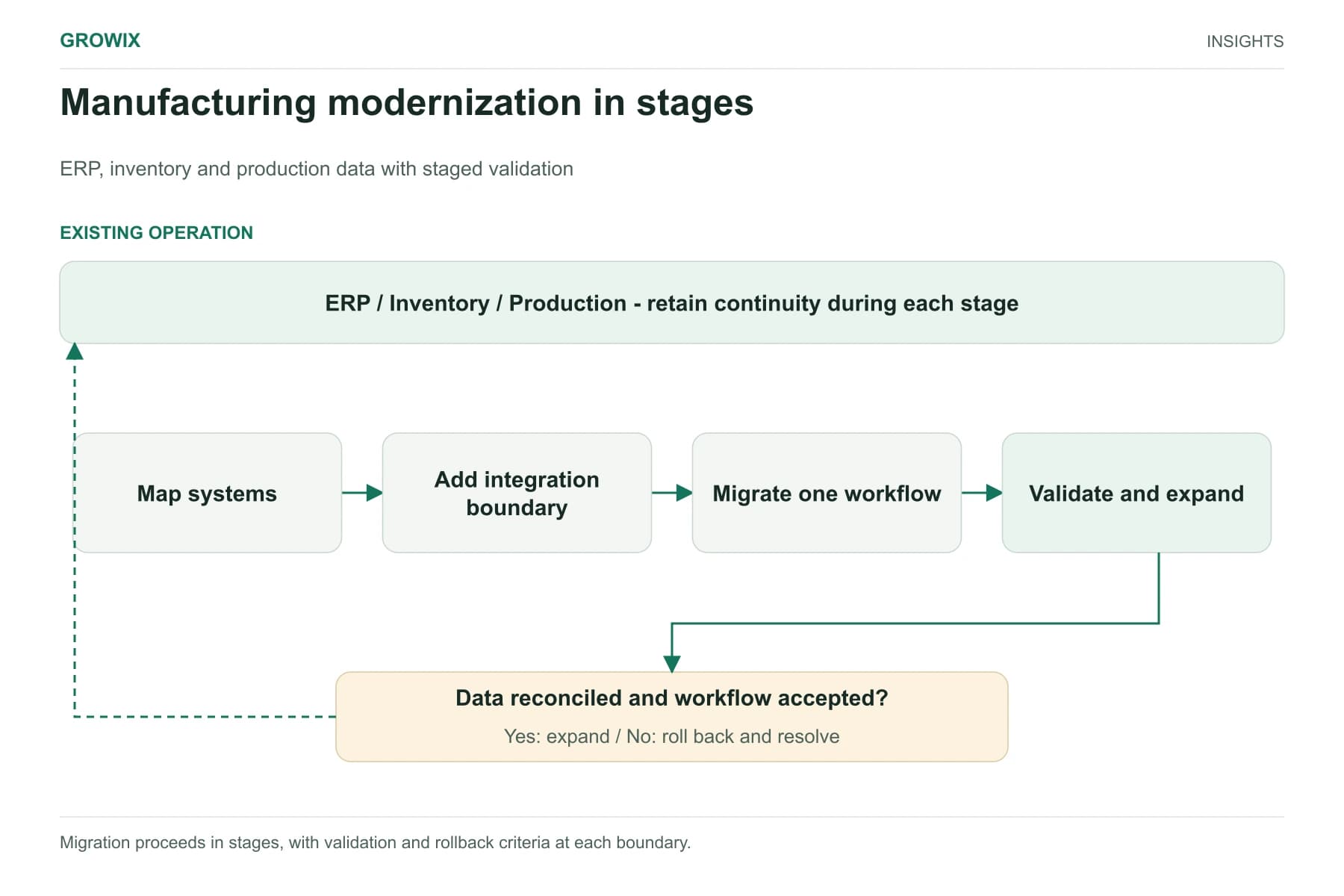
Throughout, the ERP stays in place. An integration service handles prices, orders and status updates, and the customer service team tracks which request types decline as each phase goes live.
Get product and customer data ready
Portals expose data quality problems that internal teams have learned to work around. Before launch, review:
Product descriptions and attributes: customers searching the portal need clear names, specifications, units of measure and images, not internal abbreviations.
Customer master data: correct billing and shipping addresses, contacts and account relationships.
Price agreements: expired or overlapping contract prices that staff currently correct by hand.
Inventory accuracy: if the portal shows stock that is not really on the shelf, trust disappears quickly.
Fix the most visible issues first, especially for the products your pilot customers buy most often. Data clean-up is often the longest task in a portal project, so start it alongside design rather than after it.
Build or buy the portal?
Many ERP vendors and e-commerce platforms offer B2B portal modules. They can be the fastest route when your pricing, ordering and account structures fit their assumptions. A custom portal makes more sense when your pricing logic is complex, you need a particular customer experience, you operate several ERPs after acquisitions, or the packaged module would force your customers into awkward workflows. Either way, the integration, data and adoption work described here still applies.
Supported interfaces, data quality, performance limits
Development team
Portal, integration layer, security, testing
Dependencies include the ERP's available interfaces and licensing terms, the quality of product and customer data, and any e-commerce or e-procurement connections larger customers already use.
Measures of success
Portal adoption: active accounts and users per month.
Share of orders placed online versus email and phone.
Customer service contacts for order status and invoice copies.
Order entry errors and credits caused by them.
Days sales outstanding, if invoices and statements become easier to access and pay.
Customer satisfaction among portal users, gathered through short in-portal surveys and conversations during account reviews.
Frequently asked questions
What is a B2B customer portal?
A B2B customer portal is a secure website where business customers can check order status and shipments, download invoices and statements, find product documents and, in later phases, place and reorder orders using their own contract pricing, without phoning or emailing your team.
Can a customer portal work with an existing ERP?
Yes. The ERP stays the source of truth for customers, products, prices, inventory, orders and invoices, and an integration layer of documented APIs or services connects it to the portal. Keep pricing logic in the ERP rather than recreating it in the portal, so the two never drift apart.
Should a distributor build or buy a customer portal?
Buy a portal module from your ERP vendor or an e-commerce platform when your pricing, ordering and account structures fit its assumptions. Build when they do not, or when the portal must combine data from several systems. Either way, data quality and the integration layer decide success.
Next steps
Categorize a month of customer emails and calls, and list what your ERP can expose through supported interfaces. Those two pieces of information define a realistic first release.