How Much Does AI Cost to Run? AI Application Costs for APIs, Hosting and Monitoring
Token prices are only part of the bill. Model the full monthly cost of an AI feature, including retries, monitoring and human review, and measure cost per successful task.
The short answer: when you add up the real AI costs of a typical feature built on a hosted model API, the model calls are often not the largest item. A realistic monthly budget also includes retrieval and data storage, application hosting, monitoring and evaluation, failed or repeated requests, and the people who review outputs or handle cases the AI cannot. The most useful number to track is not cost per token or cost per request, but cost per successful task: total running cost divided by the number of tasks the system completes to an acceptable standard.
This guide breaks down each cost component, works through a hypothetical example with current published prices, and shows which levers reduce cost without degrading quality. It covers ongoing running costs only. If you are budgeting to build a first version, see our separate guide to MVP development cost.
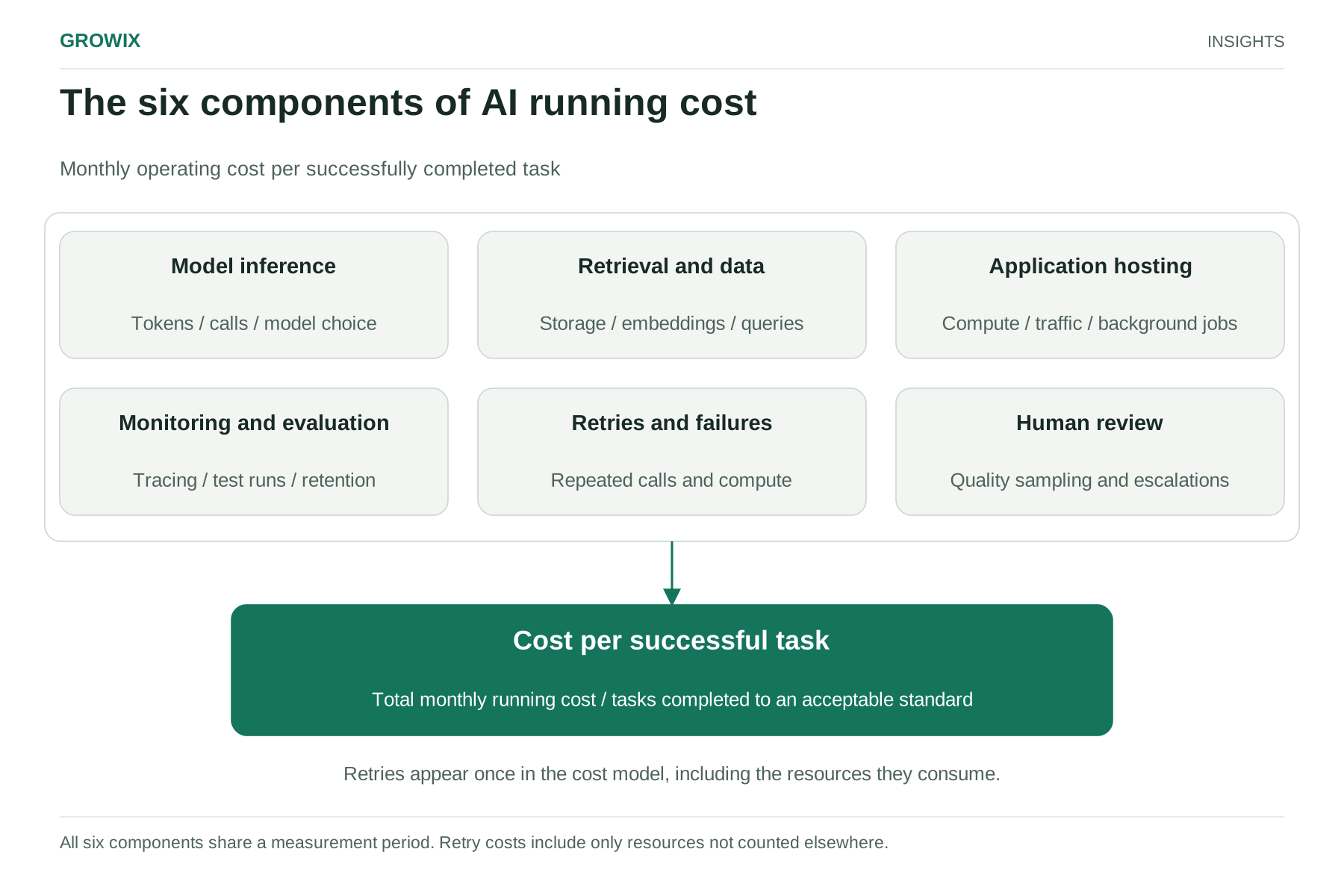
The six components of running cost
Component
What drives it
Typical billing unit
Model inference
Requests, input and output length, model choice, number of calls per task
Per million tokens (hosted APIs) or per GPU hour (self-hosted)
Retrieval and data
Document volume, embedding updates, query volume
Per GB stored, per query or per instance
Application hosting
Traffic, latency targets, background jobs
Per instance hour, per request or per GB transferred
Monitoring and evaluation
Logged requests, trace retention, test suite size
Per seat, per event or per GB ingested; model calls for evaluations
Sampling rate for quality checks, share of tasks escalated
Staff hours
Model inference
Hosted model APIs usually charge separately for input tokens (what you send: instructions, retrieved documents, conversation history and the user's message) and output tokens (what the model writes). Output tokens typically cost several times more than input tokens.
Prices differ widely between models from the same provider. On October 27, 2026, Anthropic's published API pricing listed Claude Sonnet 5.5 at $2 per million input tokens and $10 per million output tokens, and Claude Haiku 5.5 at $0.10 and $0.50 for prompts up to 100,000 tokens, a twentyfold difference. Prices also change: Google's Gemini API pricing page showed scheduled increases for some models from December 2026 and January 2027. Re-check provider prices every quarter, and treat any figure in this article as a dated example.
Two pricing features matter for budgeting:
Batch processing. Both providers above offer about a 50% discount for requests that can wait, such as overnight document processing or evaluation runs.
Prompt caching. If many requests share the same long instructions or reference text, cached input can cost a fraction of the normal input price. Anthropic's page lists cache reads at 0.05 times the base input price for its 5.5-generation Opus and Sonnet models, with a premium for writing to the cache.
Retrieval and data
Applications that answer questions from your own documents, often called retrieval-augmented generation (RAG), need somewhere to store and search that content: a vector database, a search service or a database extension. Costs depend on how much you store, how often you re-index changed documents and how many searches you run. Embedding models that convert documents into searchable vectors carry their own per-token charges, mostly when content is first indexed or updated.
Application hosting
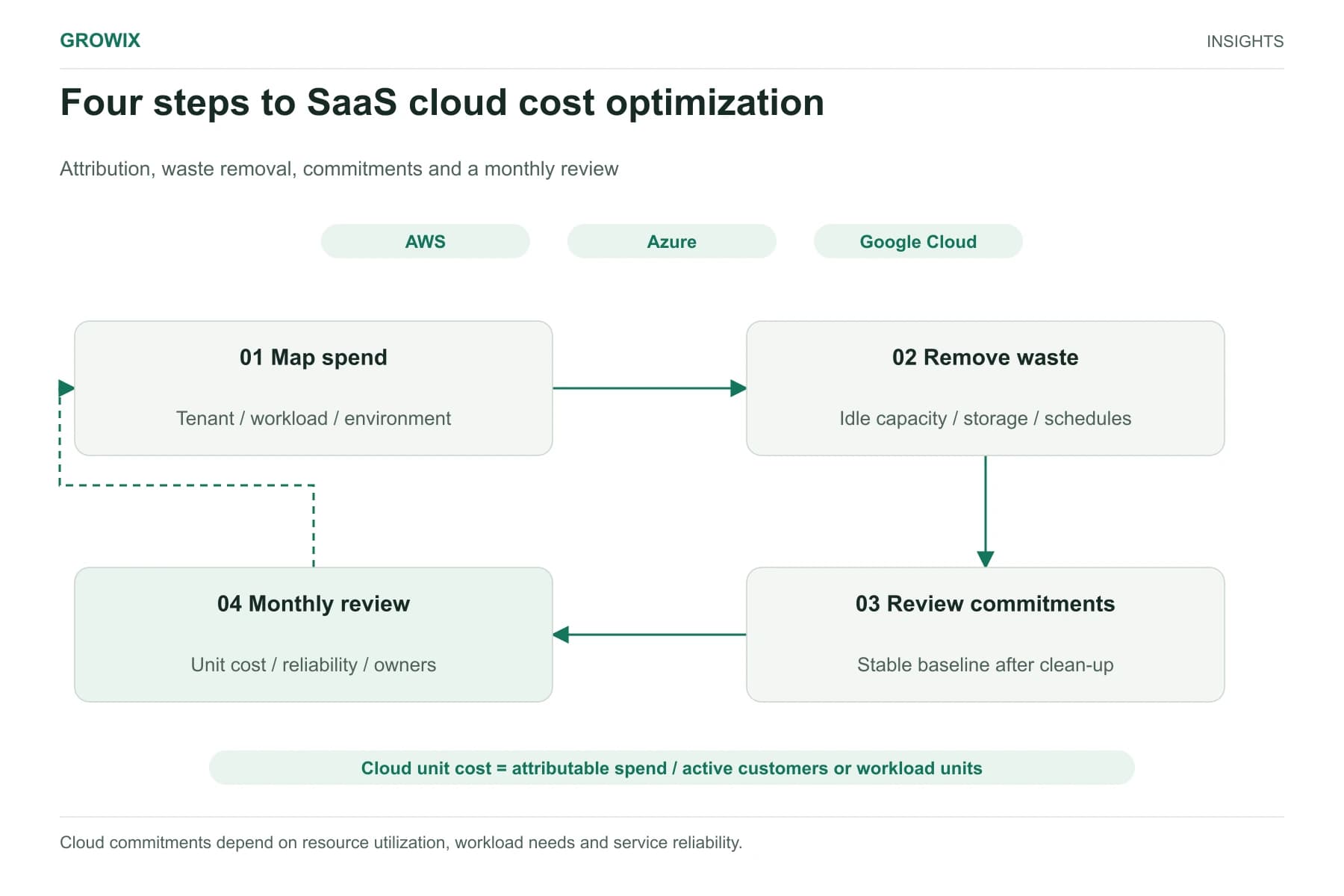
The model is only one part of the application. You still run an API layer, authentication, queues for background jobs, a database for conversation history and logs, and possibly a front end. For most SaaS products this adds a modest amount to existing cloud spend, but latency targets and traffic peaks can change that. Our guide to SaaS cloud cost optimization covers how to attribute these costs alongside the rest of your platform.
Monitoring and evaluation
AI features need monitoring beyond normal uptime checks. You need to see what was asked, what context was retrieved, what the model returned, how long it took and whether the answer was acceptable. That usually means request tracing, cost tracking per feature or customer, alerting on error and latency spikes, and an evaluation set of example tasks that you re-run whenever you change prompts, models or retrieval. Evaluation runs consume model tokens too.
Retries and failures
Requests fail for ordinary reasons: provider timeouts, rate limits, outputs that fail format validation, or guardrails that reject an answer. Each retry costs another model call. Agent-style workflows, where the model makes several calls to plan, use tools and check its work, multiply both cost and failure points.
Human review and escalation
Most business AI applications keep people involved, either reviewing a sample of outputs for quality or handling cases the system escalates. Those hours are a real running cost and, as the example below shows, are frequently the largest one.
The six components of AI running cost. All six components share a measurement period. Retry costs include only resources not counted elsewhere. View full size
A hypothetical worked example
The scenario and assumptions below are invented for illustration. Model prices are Anthropic's published list prices on October 27, 2026; all other costs are assumptions, not quotes or Growix pricing.
The workload: a SaaS product adds an assistant that answers customer questions from its help documentation.
100,000 questions a month.
Each request sends about 3,000 input tokens: 1,000 tokens of instructions, 1,800 tokens of retrieved help content and a 200-token question.
Each answer is about 400 output tokens.
85% of questions are answered acceptably; the other 15% are escalated to the support team or fail.
Cost per successful task: $4,130 ÷ 85,000 successful answers = about $0.049, or just under 5 cents.
Model calls account for about $1,080 of the $4,130, roughly a quarter. The quality-review sample alone costs nearly twice as much. Note also that the 15,000 escalated questions still create support work; that cost belongs in your customer support budget, and it is why resolution rate matters as much as token price.
What changes with an agent design
Suppose the same assistant is rebuilt as an agent that makes five model calls per question to plan, search, draft and check its answer, with an average of 6,000 input tokens and 400 output tokens per call as the conversation context grows.
Input: 100,000 × 30,000 tokens = 3 billion tokens × $2 per million = $6,000.
Output: 100,000 × 2,000 tokens = 200 million tokens × $10 per million = $2,000.
Model cost rises from $1,000 to $8,000 a month, an eightfold increase, before retries. That may be worth paying if the agent resolves substantially more questions, but it has to be proven with evaluation data. Our guide to AI agents vs workflow automation covers when that extra autonomy is justified.
What changes with routing
Now suppose testing shows that 60% of questions are simple enough for the smaller model, while the rest stay on the mid-tier model.
Simple questions on the small model: 60,000 requests cost $18 for input and $12 for output, so $30.
Remaining questions on the mid-tier model: 40,000 requests cost $240 for input and $160 for output, so $400.
Model cost falls from $1,000 to $430. With retries at the same 8%, the monthly total falls to about $3,514 and cost per successful task to about 4.1 cents, provided the resolution rate holds. If the small model lowers the resolution rate, the saving can disappear in escalations.
Levers that reduce cost without hurting quality
Measure before optimizing. Track cost and outcome per feature, so you know which requests are expensive and which fail.
Trim context. Retrieve fewer, better passages. Long instructions and unnecessary history are paid for on every call.
Cache repeated content. Shared instructions and reference text are good caching candidates.
Route by difficulty. Send simple tasks to smaller models and reserve larger ones for harder cases, validated against your evaluation set.
Batch what can wait. Classification, summarization and evaluation jobs often do not need real-time responses.
Cap and validate. Set maximum output lengths, validate structured output before retrying, and stop runaway agent loops with step limits.
Review smarter. Use risk-based sampling, reviewing more of the uncertain or high-impact outputs and fewer of the routine ones.
Hosted APIs vs self-hosted models
Factor
Hosted model API
Self-hosted open-weight model
Cost shape
Pay per token; scales with usage
Pay for GPU capacity whether used or not
Fits best when
Usage is variable or still growing
Volume is high and steady, or data must stay in your environment
Operational effort
Low; provider runs the model
High; you manage scaling, updates and availability
Model choice
Provider's catalog
Open-weight models you can run and tune
Key risk
Price changes and provider outages
Idle capacity and operations workload
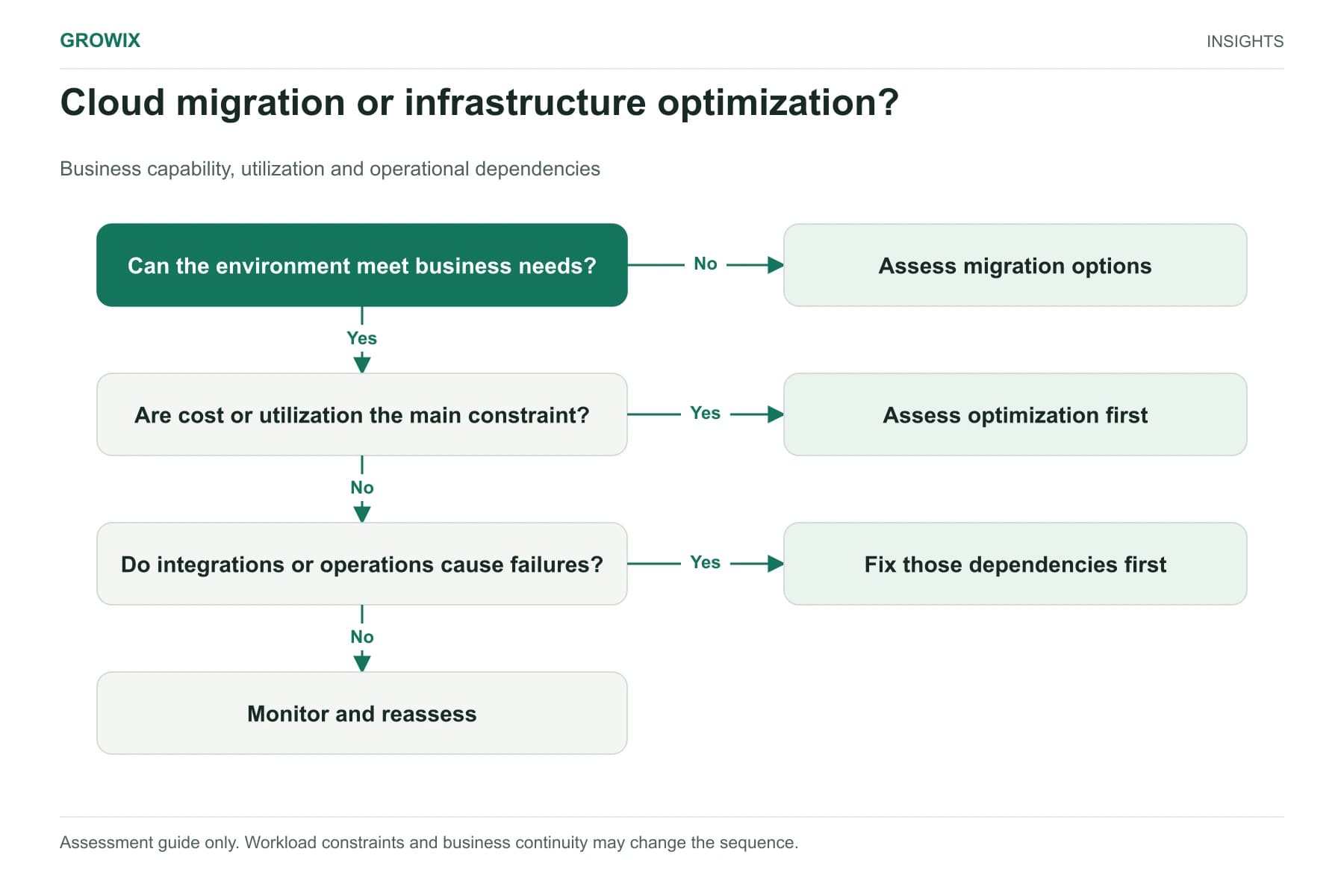
Self-hosting can lower the cost per token at high, predictable volume, but it adds capacity planning, GPU availability and on-call responsibilities. Most businesses should start on hosted APIs, measure real usage for a few months, and revisit the decision with data.
How to build your own estimate
Collect 50 to 100 real examples of the task, such as recent support questions, documents to summarize or orders to classify.
Run them through a prototype and log input tokens, output tokens, latency and whether each result was acceptable.
Forecast volume by month, including peaks. Usage of a new feature often starts low and grows as customers discover it.
Add the non-model costs: retrieval, hosting, monitoring, evaluation and review hours, using your own cloud prices and staff rates.
Apply your measured success rate to calculate cost per successful task.
Stress-test the assumptions. Double the context length, halve the success rate or increase volume tenfold, and see which change breaks the budget.
Pricing pitfalls to watch
Hidden context growth. Chat features resend conversation history, so long conversations cost more per message as they go on.
Different tokenizers. The same text can produce different token counts on different models, so compare prices using your own test data.
Tiered pricing by prompt length. Some models charge more per token above a prompt-size threshold.
Rate limits. Higher usage tiers or provisioned capacity may be needed at scale, with their own commitments.
Free-tier assumptions. Development often runs on free or discounted tiers that do not reflect production pricing or data-handling terms.
Responsibilities to assign
Product owner: defines what a successful task is and the acceptable error rate.
Engineering: owns prompts, retrieval, routing, retries and cost tracking per feature.
Infrastructure: owns hosting, monitoring, alerting and provider limits.
Finance: sets the budget and reviews cost per successful task monthly.
Operations or support: owns the review sample and escalation handling.
Frequently asked questions
How much does it cost to run an AI application?
It depends on volume, model choice and how much human review the task needs. In this guide's hypothetical example, an assistant answering 100,000 questions a month costs about $4,130 a month, or roughly 5 cents per successful answer, and model calls are only about a quarter of that total.
Why do AI agents cost more than simple AI features?
Agents make several model calls per task to plan, use tools and check their work, and the context grows with each step. In the example above, moving to a five-call agent design raises model cost about eightfold before retries, so it only pays if the agent resolves noticeably more requests.
How can you reduce AI costs without hurting quality?
Measure cost and outcome per feature first, then trim retrieved context, cache repeated instructions, batch work that can wait, route simple requests to smaller models and validate outputs to cut retries. Check that resolution rates hold after each change, because extra escalations can erase the saving.
Is self-hosting an AI model cheaper than using an API?
It can be at high, steady volume, but it adds capacity planning, GPU availability and on-call work. Most businesses should start on hosted APIs, measure real usage for a few months and revisit the decision with data.
Decide with a cost-per-task budget
Before launch, write down the cost per successful task you can afford, based on what the feature is worth: support cost avoided, revenue from a premium tier or time saved. Then build the model above with your own numbers, run a pilot to replace the assumptions with measurements, and set alerts if cost per task or failure rate drifts.